Track your spending for one full month
A single honest month of data beats a perfect spreadsheet you abandon. Here is how to capture every outflow without drowning in categories.
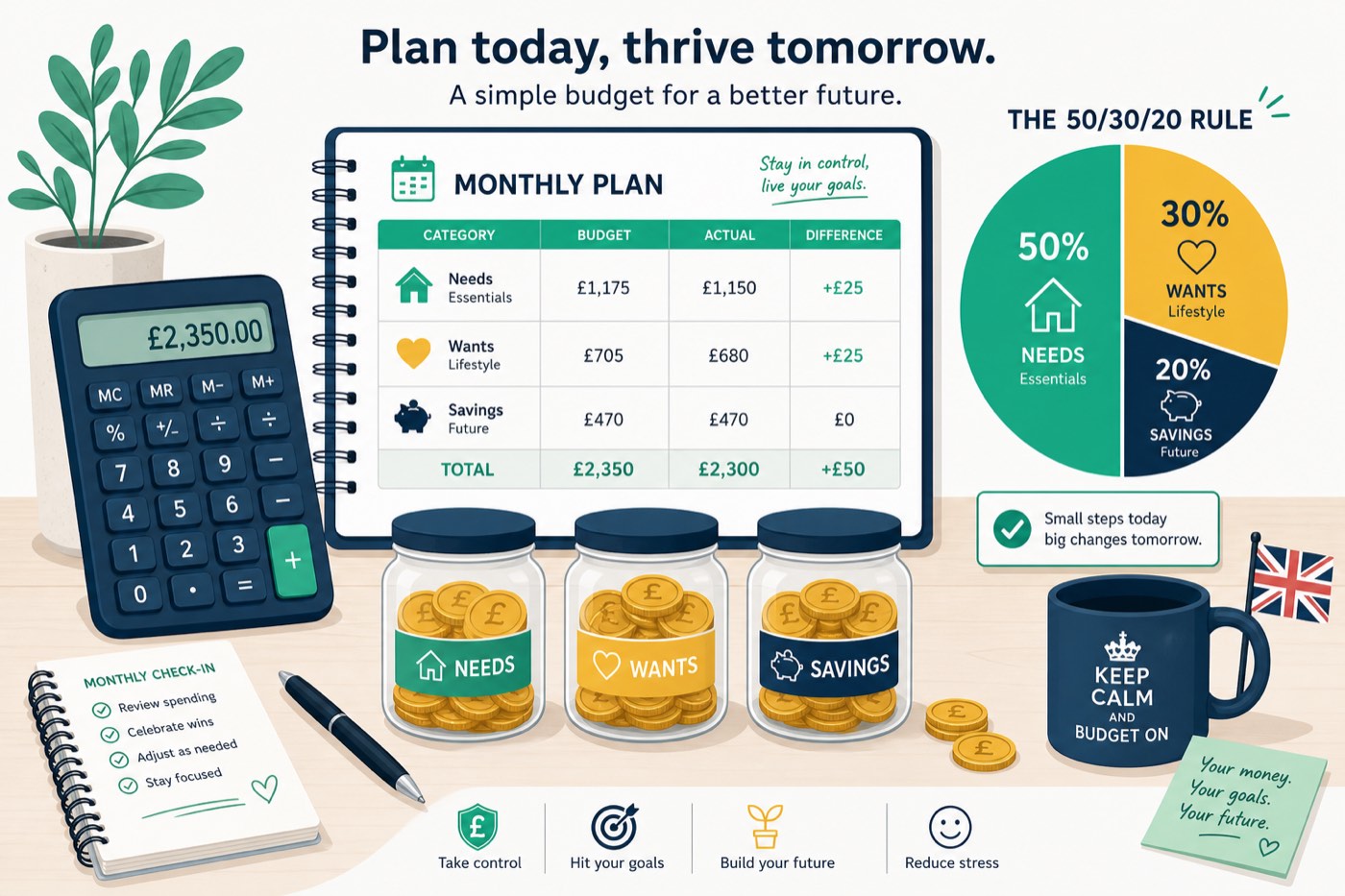
Most budgets fail because they are guesses. Tracking spending for one month replaces guesses with evidence: card payments, Direct Debits, cash and those “small” Apple Pay taps. You do not need fancy software — you need completeness and a calm review at the end of 30 days.
Who this guide is for
People who reach payday without knowing where the balance went, or who need reliable figures before changing a budget. It suits card, cash and app users alike.
Not for: People who need an immediate crisis budget; contact creditors and free debt support instead of waiting a month to act.
Set up a simple capture system on day one
Pick one home for the data: a notes app, a spreadsheet, or your bank’s categorisation tools. The rule is one system only. If you split between three apps, something will slip.
Export or screenshot the last statement so you know your starting Direct Debits. Turn on transaction notifications. For cash, keep a receipt photo album or jot totals each evening. Couples should either share one tracker or agree who logs joint spending.
Do not optimise categories yet. Use broad buckets: housing, food, transport, debt, fun, kids, health, misc. You can refine later. The goal of month one is coverage, not perfection.
What people usually miss
Forgotten annual bills that hit mid-month (car insurance, AA, domain renewals). Buy-now-pay-later instalments. Transfers to friends that look like “savings”. Cashpoint withdrawals that vanish into unlabeled spending. Subscriptions in someone else’s Apple or Google account.
Also watch “soft” spending: workplace lunches paid by card, school trip balances, and marketplace purchases. If you are paid weekly, track a full calendar month anyway so rent and council tax appear once.
Self-employed? Separate business and personal cards before you start, or every fuel receipt will muddy the picture. Put tax set-asides in their own category so they are not mistaken for discretionary cash.
Review week: turn data into decisions
At day 30, sort by size. Circle the top five outflow groups. Ask three questions: Was this expected? Does it match my values? Can I change it within 30 days (switch tariff, cancel sub, meal-plan) or only longer-term (move house, change commute)?
Compare food shopping vs takeaways; commuting vs occasional taxis; “misc” vs everything else. Misc above 10% of outgoings usually means you need tighter labels next month.
Then draft a budget from the real numbers — for example using a 50/30/20 split — and set one standing order for savings so next month is not another archaeology dig.
Keep the habit light after month one
After the deep dive, switch to a weekly 10-minute check: glance at the balance, confirm big bills cleared, spot odd transactions. Full re-tracking every quarter is enough for most households unless income is volatile.
If you earn around National Living Wage levels, tracking still matters — it often reveals bank fees, unused gym contracts or expensive convenience food that frees £30–£50 without cutting joy.
A clean 30-day audit
A useful spending audit is an evidence exercise, not a month of self-criticism. Choose a normal statement-to-statement period; December, a long holiday or a month spent moving home will distort the baseline. Download current-account and credit-card transactions, add cash withdrawals, and note annual charges that happened outside the window. Pending card transactions can otherwise vanish between snapshots.
- Capture: record date, merchant, amount and payment account. Split mixed supermarket purchases only when the distinction would change a decision.
- Tag: use fixed essentials, variable essentials, committed non-essentials, flexible spending, saving and debt.
- Verify: reconcile the opening balance plus income minus outgoings to the closing balance. A gap usually means cash, transfers or a second card was missed.
- Annualise: inspect the previous 12 months for insurance, MOT, Christmas, school and professional fees; divide each by 12.
- Change three things: cancel, cap or renegotiate the largest realistic items. Twenty tiny restrictions are harder to sustain.
Second example: Aisha's visible monthly bills are £1,420 and she assumes £450 covers everything else from £2,150 take-home. The audit finds £286 groceries, £96 takeaway and coffee, £74 taxis, £39 subscriptions and £210 transferred to a credit card. It also finds £720 of annual car and contents-insurance costs. Adding £60 a month for those annual costs means true outgoings are £2,185, a £35 deficit—not the £280 surplus she expected.
| Audit finding | Monthly effect | Action |
|---|---|---|
| Duplicate streaming | £18 | Cancel one service |
| Convenience travel | £74 | Set £35 cap |
| Annual bills omitted | £60 | Fund a separate pot |
| Card repayment | £210 | Keep; track as debt |
Do not count transfers between your own accounts as spending. Count a credit-card purchase when made, then exclude the later card payment, or do the reverse consistently; counting both doubles expenditure. Refunds should reduce the original category. Shared-household reimbursements need the same treatment.
At month end, keep the baseline and repeat a lighter ten-minute check weekly. Compare categories in pounds, not moral labels. The aim is to release cash for a named job, such as a £500 starter emergency fund, rather than simply “spend less”. Banking categories can help but merchants are frequently mislabelled, so verify large entries. This is general budgeting information, not regulated advice.
Worked example: Priya’s surprise £186
Priya thought she spent about £250 a month on “extras”. After 30 days of logging, card data showed £186 in forgotten subscriptions and marketplace buys, £140 in workplace lunches, and £95 in cash she could not explain. She cancelled three subs (£27/month), packed lunch three days a week (£60 saved), and started a £100 payday transfer to an easy-access saver. Same salary — clearer picture.
Step-by-step checklist
- Choose one tracking method and stick to it for 30 days
- List all Direct Debits and standing orders on day one
- Turn on bank notifications for card payments
- Photograph or note every cash withdrawal the same day
- Include BNPL, transfers and annual bills that fall in the month
- At day 30, rank categories by size and pick two cuts
- Set a savings standing order before month two begins
Common mistakes
- Stopping after a “good” week and assuming the rest of the month looks the same
- Ignoring cash and peer-to-peer payments
- Creating 40 categories so logging feels like a second job
- Judging every purchase harshly instead of collecting calm data first
When to get regulated help
MoneyHelper’s budgeting guidance is free at moneyhelper.org.uk. For scams or unrecognised transactions, contact your bank immediately and read the consumer pages on GOV.UK.
Frequently asked questions
Is a banking app enough to track spending?
Often yes, if you fix mis-categorised transactions weekly and still log cash. Export a CSV if you want a cleaner month-end review.
Should I track income too?
Yes — note payday, benefits, side hustle deposits and refunds so your net position is clear.
What if my partner hates tracking?
Track joint bills yourself and agree a weekly spending number for personal pots. Full shared logging is ideal but not mandatory.
How long before I budget?
One complete month is enough to draft a budget. Refine after month two once seasonal quirks appear.
How should I record Buy Now, Pay Later spending?
Record the full purchase and show instalments as reducing the liability, or record each instalment as spending. Do not use both methods at once.